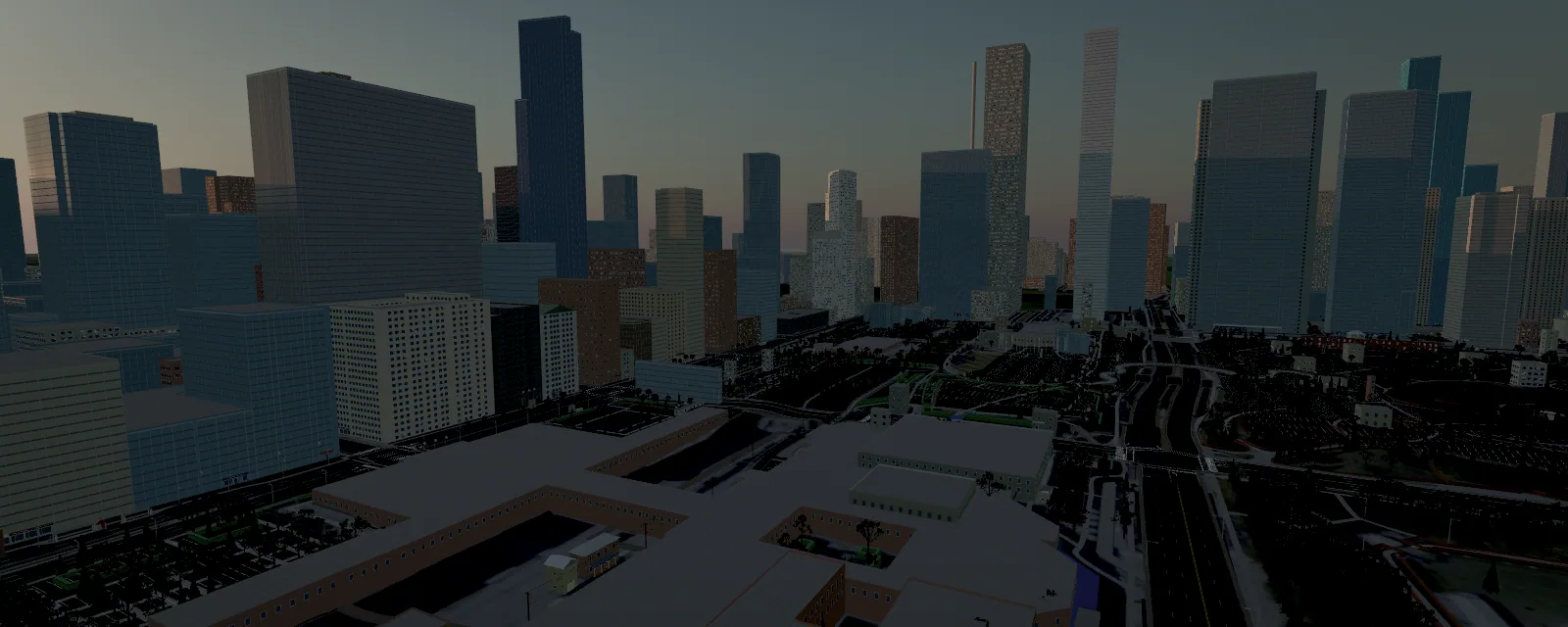
Earth Games runs in your browser on computers, phones and tablets. It sizes its graphics to your device on its own, so most machines from the last several years can play. Here is what it needs, what it looks like at each level, and how to fix the common problems.
Nothing here leaves your device. The answer comes from the same check the game runs when graphics are on Auto; once you play, the game measures your real frame rate and adjusts.
Windows · macOS · ChromeOS · Linux
Computers
Three levels, from “it plays” to “everything on”. Whatever you have, the Auto setting picks a starting level for you and steps down if the frame rate drops.
Minimum
Plays well
A laptop or desktop with built-in graphics. Auto starts on Low. If it runs smoothly, try Medium by hand.
LaagMedHoogUltra
Grafika
Built-in graphics with hardware acceleration onIntel UHD or Iris Xe, AMD Radeon Graphics or Vega
Processor
2 cores
Memory
4 GBThe game keeps fewer map squares in memory below 8 GB
Skerm
Any sizeAuto draws up to about 1600×900 on Low
Browser
Chrome or Edge 100+, Firefox 115+, Safari 16.4+
Internet
3 Mbps
Laag, aiming for 60 fps
RecommendedBest for most
The full picture
A dedicated graphics card or an Apple silicon Mac. Auto starts on High with soft shadows and sun-contact shading.
LaagMedHoogUltra
Grafika
A dedicated graphics card, Intel Arc, or Apple M1 or newerNVIDIA GeForce, AMD Radeon RX, Intel Arc
Processor
4 cores or more
Memory
8 GBHolds the full map cache, so revisited streets appear instantly
Skerm
1080p to 1440p
Browser
The newest Chrome or EdgeFirefox and Safari work too
Internet
10 Mbps or faster
Hoog, aiming for 60 fps
Best
Everything on
A fast desktop for big screens, three shadow layers and live reflections. Pick Ultra by hand in Settings → Graphics.
LaagMedHoogUltra
Grafika
A fast desktop graphics cardWe test on a GeForce RTX 3060 Ti
Processor
8 cores or moreWith 8 GB or more, the game builds map squares on 6 threads instead of 3
Memory
16 GBDowntown Boston on High used about 1.5 GB
Skerm
1440p to 4K
Browser
The newest Chrome or Edge
Internet
25 Mbps or fasterMap squares stream in quickly when you fly
Ultra, picked by hand
How these were set: the memory and processor lines follow the game’s own limits (how many map squares it keeps and how many threads build them). The graphics examples are a guide, not a guarantee: Auto measures your real frame rate in the first minute and settles on what your machine holds. Nothing is installed, so there is no disk space to free.
iPhone · iPad · Android
Phones & tablets
Open the site in your phone’s browser and play with touch controls. No app store needed.
Minimum
Plays
Most phones and tablets from the last few years. Auto starts on Low, and moves to Minimal if that is slow.
LaagMedHoogUltra
Device
iPhone or iPad on iOS 16.4 or newer, or Android 10 or newer
Browser
Safari on iPhone and iPad, Chrome on AndroidOn iPhone and iPad every browser uses Safari’s engine
Memory
3 GB
Internet
Wi-Fi or 4G
Laag, aiming for 30 fps
Recommended
Looks great
A recent flagship phone or tablet. Auto starts the fastest Android chips on Medium, with textures and shadows; on others, pick it by hand.
LaagMedHoogUltra
Processor
6 cores or more
Memory
4 GB or more
Browser
The newest Safari or Chrome
Internet
Wi-Fi or 5G
Krag
Plugged in or well chargedPhones slow themselves down when hot or in power-saving mode
Medium, picked by hand
How phones are tuned
Earth Games is at its best on a computer. On a phone it trades a little distance and detail to stay smooth and cool:
The map loads 70% as far, about two rings of map squares around you
Full 3D trees and fine building detail only up close, where you can see them
Resolution adjusts on its own to hold the frame rate steady
Three touch layouts: stick, pedals or tilt to steer
Phone lines are a guide. Phones differ more than computers, and the game tunes itself on each one. Our test phone is a Pixel 10 Pro XL.
Settings → Graphics
What each graphics setting turns on
Change it any time from the phone menu in the game (P or Esc). There are nine levels, and Auto, the default, picks one for you and never goes above High. Low, Medium, High and Ultra each change what is drawn; the levels between them are the one before with more of it, and switch at once.
Setting
MinimalDevices that are slow on Low
LaagBuilt-in graphics, phones and tablets
Low PlusLow, sharper and farther
LightMedium, kept close
MediumOlder graphics cards, fast phones
BalancedBetween Medium and High
HoogGraphics cards, Apple silicon
Very HighBetween High and Ultra
UltraFast desktop cards
ShadowsSharpness and layers
—
—
—
1,024 px · 2 layers
1,024 px · 2 layers
2,048 px · 2 layers
2,048 px · 2 layers
3,072 px · 2 layers
3,072 px · 3 layers
Shadow reach
—
—
—
1 000 ft · 300 m
1 400 ft · 420 m
1 600 ft · 500 m
1 800 ft · 560 m
2 300 ft · 700 m
2 600 ft · 780 m
Sun-contact shadingSoft darkening where things meet
—
—
—
—
—
On
On
On, finer
On, finer
Glow and bloomHeadlights, signs, the sun
—
—
—
On
On
On
On
On
On
Live reflectionsWet roads, glass and paint
—
—
—
—
—
—
—
—
On
Materials
Flat colors
Flat colors
Flat colors
Textured
Textured
Textured
Textured, with relief
Textured, with relief
Textured, with relief
Full 3D trees out toFlat cards beyond
Cards only
Cards only
Cards only
500 ft · 160 m
800 ft · 240 m
900 ft · 280 m
1 000 ft · 300 m
1 100 ft · 340 m
1 200 ft · 380 m
Grass
—
—
—
Closest
Naby jou
Wider
Wider
Wider still
Widest
Cars in trafficAt most, around you
0
16
30
30
40
70
90
120
140
Map loads out toWhile driving; the far landscape covers the rest
0,3 mi · 0,5 km
0,6 mi · 0,9 km
0,7 mi · 1,2 km
0,7 mi · 1,1 km
0,7 mi · 1,2 km
0,8 mi · 1,3 km
0,9 mi · 1,4 km
1 mi · 1,6 km
1 mi · 1,7 km
SharpnessPixels per screen pixel, at most
1×
1×
1,25×
1,25×
1,5×
2×
2×
2×
2×
Auto draws up toPixels per frame while on Auto
0,6 million pixels
about 1600×900
1,8 million pixels
1,7 million pixels
1080p
2,8 million pixels
1440p
5,5 million pixels
4K
Step 1Pick a startFrom your graphics chip: High on graphics cards and Apple silicon, Low on built-in graphics and most phones and tablets, Medium on the fastest Android phones and when the browser hides the chip’s name.
Step 2MeasureOnce the first map squares load, the game watches the frame rate for 8 seconds.
Step 3Step down if neededUnder 70% of the target (60 fps on computers, 30 on phones) it drops a level or two, by how far under it is, and once more if it stays slow. Far too slow, and it drops without waiting. Minimal is the bottom.
Step 4Remember itThe result is saved for your graphics chip, so the next visit starts right. Want more? Pick a higher setting by hand.
No plugins, no launcher
Browsers
Any modern browser works. Chrome and Edge get the most testing and the best graphics speed on Windows.
ChromeBest
100+or newer
Windows, macOS, ChromeOS, Linux and Android.
EdgeBest
100+or newer
Built into Windows. Same engine as Chrome.
FirefoxWorks
115+or newer
Windows, macOS and Linux.
SafariWorks
16.4+or newer
Mac, iPhone and iPad. On iPhone and iPad, Chrome and Firefox use Safari’s engine, so your iOS version is what counts.
Needs
WebGL 2 with hardware acceleration, to draw the 3D world on your graphics chip
WebAssembly, for the physics that drives cars, bikes and aircraft
Web Workers, to build map squares in the background without stutter
WebSocket, to see other players. Without it the world still works, just alone.
Nice to have
Audio worklets for the live engine sound of each car
Video recording to save clips from Photo Studio
Gamepad support, for controllers with rumble
Motion sensors on phones, to steer by tilting
Installing as an app? You can add Earth Games to your home screen or desktop, but it runs the same engine on the same graphics chip, so it isn’t faster.
Streams as you move
Internet
The world downloads around you as you go, and your browser keeps what it has seen. Here is what that costs, measured on the live game.
The game itselfabout 3MBOnce; your browser keeps it until the next update
One city map square70–135KBBoston, Manhattan, San Francisco. About 30 KB in the countryside.
Starting in a big cityup to 8MBOf map on a computer at High; about a third of that on a phone
Ander spelers~7KB/sMeasured with 50 players in one place
Minimum3 MbpsEnough to walk and drive; new streets may fill in a moment late.
Recommended10 Mbps or fasterA quick first load and streets that are ready before you reach them.
On mobile dataMind the planDriving fast through a dense city can use around 100 MB an hour. Walking uses much less, and places you’ve been load from your browser.
Play your way
Kontroles
Switch at any time; the game follows whatever you touch last.
Walk, drive and fly with the keys you know. Every key can be changed, with mouse speed and invert-Y in Settings.
Controllers
Any standard controller that works in your browser (Xbox, PlayStation and most others), with rumble. It also moves through the menus.
Raak
On phones and tablets: an on-screen stick, pedals, or tilt to steer, plus buttons for each game.
Troubleshooting
Quick fixes
Most problems come from the browser not using the graphics chip. These fix nearly all of them.
“Graphics acceleration is off” or the world won’t start
The browser is drawing without your graphics chip, or not drawing 3D at all. Turn hardware acceleration on, then close and reopen the browser:
Chrome: Settings → System → turn on “Use graphics acceleration when available”, then Relaunch.
Edge: Settings → System and performance → turn on “Use graphics acceleration when available”, then Restart.
Firefox: Settings → General → Performance → untick “Use recommended performance settings”, then tick “Use hardware acceleration when available”.
Safari: always on. Update macOS or iOS if the world still won’t start.
Still off? Update your graphics driver. Browsers turn acceleration off for drivers they know are broken.
My laptop is slow even though it has a graphics card
Laptops with two graphics chips sometimes give the browser the weaker one. On Windows open Settings → System → Display → Graphics, choose your browser, and set it to High performance. Plug the laptop in, too: on battery many cut their graphics speed in half.
It stutters or my phone gets hot
Open the phone menu in the game (P or Esc) → Settings → Graphics and choose Low. Close other tabs, and turn off Low Power Mode or battery saver, which hold the browser to 30 fps or less.
The screen goes black and the game reloads
Your device reset its graphics, which phones do when they run short of memory. The game reloads to the same spot. If it happens twice in a minute, choose Low in Settings → Graphics and close other apps.
Remote desktop, virtual machines and cloud PCs
These usually have no graphics chip for the browser to use, so the world draws very slowly. Play on the computer itself.
Other players don’t appear
The game talks to other players over a WebSocket. Some school, office and hotel networks block it. The world still works alone; try another network to play together.
Ready to see your town in 3D?
No download and no account needed. Open the world and Auto takes care of the rest.
Voice chat for heists, convoys and Cannonball races, live town launch pings, daily photo/place trivia, and in-game chat. Joining unlocks the Discord Explorer badge, +25 Credits, and 5× town votes.