EARTH GAMESEARLY ACCESS
Field manual · controls & world loop

How to play Earth Games

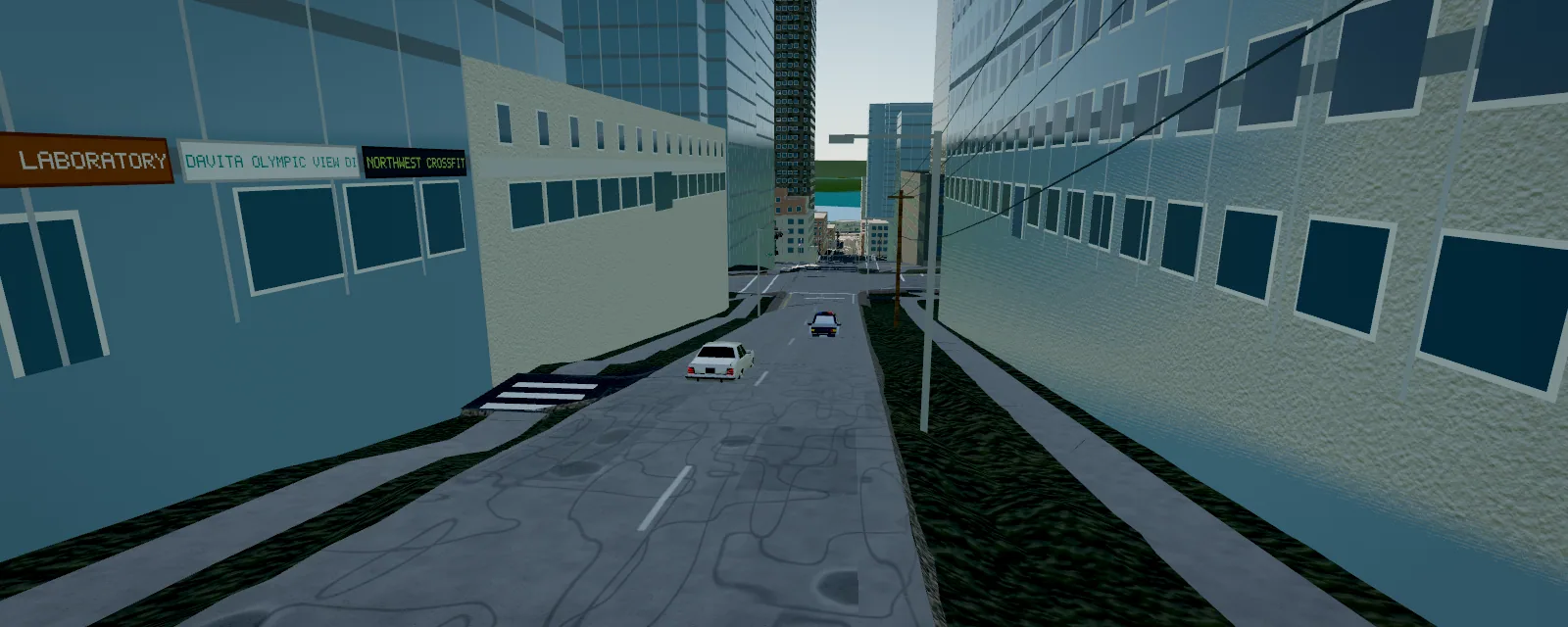
A shared 3D world built 1:1 from real geography. Explore real towns on foot, behind the wheel or from a helicopter, and vote on where the world grows next.

Your first minute

Everything you need to get moving. The rest is below when you want it.

  1. 1MouseClick the worldThen move the mouse to look around
  2. 2WASDWalkShift to sprint
  3. 31Call a carA driver brings it to the road beside you
  4. 4EGet in and driveW / S for gas and brake, A / D to steer
  5. 5M/PMap and phoneSet a waypoint, pick a game, change settings
  1. 1Left stickWalkDrag the scene to look around
  2. 2GarageCall a carA driver brings it to the road beside you
  3. 3Get inGet in and driveStick or pedals to drive, Drift for the handbrake
  4. 4MapFind your wayTap to set a waypoint
  5. 5📱PhonePick a game, change settings

Controls

Hold H or Tab in the game to see these any time. Keys can be changed in Phone → Settings → Driving and controls.

Walk

On foot

WASD/↑←↓→
Move
Shift
Sprint
Mouse
Look aroundClick the scene first; Esc releases the pointer

Drive

Cars, trucks and motorcycles

1–5
Call a vehicleA driver brings it to the road beside you. By default: sedan, sports car, offroad truck, motorcycle, helicopter
K
GaragePick a car and its paint, have it delivered, and choose which number key calls it
E
Get in / outThe vehicle next to you. It stays parked where you leave it
W/S
Gas / brakeKeep braking to reverse
A/D
Steer
Space
HandbrakeDrift through corners
Shift
Boost
B
Horn
W+S
LaunchstoppedHold both to rev against the brakes, then let go of S
Shift/Q
Shift up / downmanualTurn on the manual gearbox (and change keys) in Phone → Settings → Driving and controls
N
RadioNext station; Shift+N goes back, one past the last turns it off. Hold N for the station wheel

Helicopter

Take off from anywhere

Space/Q
Climb / descendLet go to hover
W/S
Fly forward / backTilts the nose
A/D
Turn
E
Get outAfter landing

Airplane

Parked at real airports

Airplanes are parked at real airports. Find one by the airplane mark on your map (or its white-and-green beacon at night) and walk up to it and press E. Terminals can be entered too (F at the door).

Stop anywhere on an airport and the ground crew refuels and repairs it.

Space/Q
Throttle up / downHolding Q at idle on the ground works the brakes
S/W
Nose up / down
A/D
Bank left / rightSteers on the ground
F
FlapsUp, takeoff, landing
B
Landing gearThe business jet
E
Get outOnce stopped

Lawless

Only while playing Lawless

E
Take a carWhen it has stopped in traffic
Right mouse
AimOver the shoulder; locks on to someone near the crosshair
Left mouse
FireOr swing, or throw what is in your hand
Q
Next weaponHold for the weapon wheel
R
ReloadWith a sticky bomb in hand: set them off
B
Mask on / offOnce you have bought one

Everywhere

On foot or in a vehicle

Camera

V
Camera viewIn a vehicle: chase, far chase, cockpit, hood
X
Look backholdWhile driving
O
Photo modeThe world holds still: fly the camera, set the field of view, save a picture

Display

U
Hide / show the HUD
G
Graphics qualityCycles the presets
R
Retry missing tiles

Map and menus

M
World mapClick to set a waypoint; click it again to clear it
+/−
Zoom the minimapOr scroll over it
P
PhoneGames, map, your profile and character, radio, settings, and Exit
Esc
Phone / backBacks out of an app; press again after the pointer is released
J
Game boardJobs and leaderboards of the game you are playing; in Free Roam, the game picker
H/Tab
This cheat sheethold

Around you

F
UseWhat is in front of you, like a depot board (a prompt shows when you are close)
F
Open a secret garageFree RoamAt its door. The radar shows rumors, and the ping speeds up as you get close
L
Hail a ride / lock doorsHail on foot; lock or unlock in a vehicle
T
Wave
Y
Lights and sirenIn a police cruiser, ambulance or fire engine (parked at real stations), and in First Responder; Shift+Y: the lights alone
Chat
TalkType in the box at lower right; Enter sends

Gamepad

Any standard controller

Driving and flying

RT/LT
Gas / brakeKeep braking to reverse. On foot in Lawless: fire / aim
L stick
SteerOn foot: walk
R stick
Look around
A
HandbrakeOn foot: use. Helicopter: climb. Airplane: throttle up
B/R3
Look backHelicopter: descend. Airplane: throttle down, brakes
LB/RB
Shift down / upManual gearbox. RB or L3: boost. Airplane: LB flaps, X gear
Y
Get in / out
X
HornOn foot: wave

Menus

D-pad◀/▶
Radio station
D-pad▲/▼
Phone / map
View/Menu
Camera view / menuIn menus and the phone: D-pad moves, A picks, B backs out

Walk

On foot

Left stick
MovePush past the edge to sprint
Drag the scene
Look around
Garage
Call a vehiclePick a car and its paint; a driver brings it to the road beside you
Get in
Get inThe vehicle next to you

Drive

Cars, trucks and motorcycles

Left stick
Gas, brake and steer
GAS/BRAKE
PedalsWith the steering slider or tilt to steer: Phone → Settings → Driving and controls → Touch driving
Drift
Handbrake
📻
RadioNext station (one past the last turns it off); press and hold for the station wheel
Get out
Get outIt stays parked where it stands

Helicopter

Take off from anywhere

Left stick
Tilt and turnForward / back, left / right
▲/▼
Climb / descendLet go to hover
Get out
Get outAfter landing

Airplane

Parked at real airports

Airplanes are parked at real airports. Find one by the airplane mark on your map (or its white-and-green beacon at night) and walk up to it and tap Get in. Terminals can be entered too (Use at the door).

Stop anywhere on an airport and the ground crew refuels and repairs it.

Left stick
Pitch and bankPull back to raise the nose, push to lower it; left and right bank
▲/▼
Throttle up / downHeld down on the ground: brakes
Flaps/Gear
Flaps and gearThe flap lever, and the jet’s landing gear

Everywhere

On foot or in a vehicle

Map
World mapTap to set a waypoint; tap it again to clear it
Tap the minimap
Open the world map
📱
PhonePick a game or Free Roam, radio, settings, and these controls (Settings → Driving and controls)
Use
UseWhat is in front of you, like a depot board (shown when you are close)
👁
Hide / show the HUD

How the world grows

Players decide what gets built next.

01 · Explore

Real places at real size

OpenStreetMap roads, real buildings and LiDAR terrain. A mile in the world is a mile on the map.

02 · Expand

Vote where to build next

Nominate and vote for any town or city on Earth on Vote & Expand. Enough votes and it gets built.

03 · Shape gameplay

Vote what games exist

Your daily game vote decides which games launch on top of the planet, from street sandboxes to races.

Ready to play?

It runs in your browser. No download, and you can play as a guest.

COMMUNITY & VOICE CHAT

Join the Earth Games Discord

Voice chat for heists, convoys and Cannonball races, live town launch pings, daily photo/place trivia, and in-game chat. Joining unlocks the Discord Explorer badge, +25 Credits, and 5× town votes.

Founding community · Voice & convoys
Join the DiscordFree · +25 Credits on link